

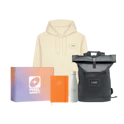
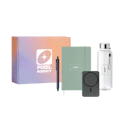
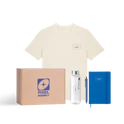
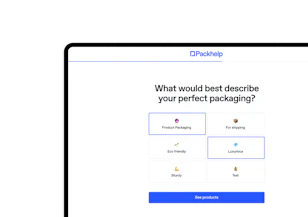


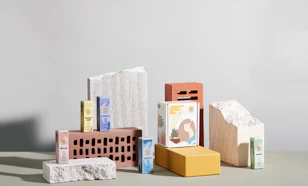



One catalogue, inside the Editor
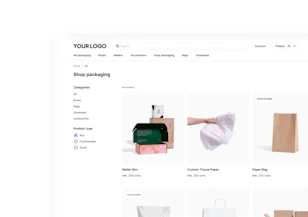
Browse boxes, bags, envelopes, tubes and accessories in one place, with a separate tab for promotional products.


Choose other country
 Austria
 Belgium
 Bulgaria
 Croatia
 Czech Republic
 Denmark
 Estonia
 Finland
 France
 Germany
 Greece
 Hungary
 Ireland
 Italy
Italy Latvia
 Lithuania
 Luxembourg
 Netherlands
 Norway
 Poland
 Portugal
 Romania
 Slovakia
 Slovenia
 Spain
Spain Sweden
 Switzerland
 United Kingdom
 USA
USAOnline packaging editor
 without a designer,without waiting for a quote,without surprises.
Got a logo, a finished file or just an idea? In the Editor you set everything up yourself, see the price live and order from 30 units. You only pay when you order.


You don't need to know any design software. We'll walk you through designing your packaging from start to finish.

Upload your finished design, place it on the dieline and see it instantly mapped onto the packaging in 3D for a fast, accurate check.
Your design. Our print.
The Editor runs in your browser, so you can design your packaging without a graphic designer, printer contact or print-file expertise. All you need is a clear idea of how you want your packaging to look.
The whole process takes just five steps.
From choosing your packaging to the price in your cart, without leaving the Editor.
Everything starts here.
Browse boxes, bags, envelopes, tubes and accessories in one place, with a separate tab for promotional products.
You don't need to measure anything or build from scratch. Pick a product and go straight to designing.
Size, quantity, material and finish, all set in one panel.
Choose to print outside only or outside and inside.
Compare options like kraft vs white, foil and different print variants, and see photos that show how each choice looks in reality.
A logo, a pattern or your own artwork.
Choose a template, adjust the colours to your brand, drop in your logo and apply patterns to the whole box or selected panels in a few clicks, keeping everything consistent.
Upload PNG, JPG, SVG or PDF files, pick the panel you want, position and scale your graphics while a 2D view shows wall dimensions in centimetres. The Editor warns you if the resolution is too low or elements are too close to the edge, and you can download the dieline, design in external software, then upload the final PDF back in.
Rotate, zoom in and check every side before you order anything.
Every change to colour, print variant, logo placement or finish is reflected immediately in the 3D model, so you are not waiting on manual visuals or guessing how it will print.
When the chosen variant allows interior print, you can switch to the inside view and design inner panels using the same tools you use on the outside to shape the full unboxing experience.
Adjust quantity, print variant or finish and the unit price and total update automatically.
Add finished projects straight to your cart, or contact sales for larger quantities.
If you are logged in, you can save your work and share it by link.
The design you finalise on screen becomes the print-ready file used for production, with no separate sending of assets or back-and-forth with a printer.


There is no separate print file to prepare and no rounds of corrections with a printer. Whatever the Editor has checked goes into production exactly as it is. We print and assemble in Europe on FSC-certified board, and you see the lead time before you confirm the order.
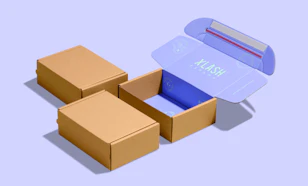
Order one Custom Mailer Box with your own design, check the colours, board and finish in your hands, then order from 30 units.
Custom Mailer Box prototype from 1 piece, with your own design.
See how brands used the Editor starting from full artwork files, a simple logo or a blank box, and browse finished projects for ideas for your own packaging.

One Editor across 7 markets, with local delivery


Your packaging could be the next project in this gallery.


Over 5 000 ready dieline configurations in the catalogue


From 30 units with your own print


125 300
companies already trust Packhelp for printed packaging, from first prototype to repeat production.
No. You can use the Editor and 3D preview for free without an account. You only pay when you confirm an order.
You can upload PNG, JPG, SVG and PDF files. Vector formats such as SVG or PDF are best for logos, as they stay sharp at any size.
Standard production starts from 30 units. Custom Mailer Box can also be ordered as a one-piece prototype with your own design.
The Editor works in CMYK and simulates colour on the selected material, so you see how your design looks on kraft or white board. This gives a realistic preview, although minor differences can occur between screens and print.
The Editor warns you if an uploaded file is too low in resolution. You can upload a higher-quality file or continue with the existing one if you accept the risk of reduced print sharpness.
Yes. You can download the dieline, design in your own software, then upload the finished PDF back into the Editor for preview and ordering.
Yes. After logging in, you can save your project in your account and share it by link so your team can review it.
Lead times depend on the specific product and quantity. The Editor shows you the estimated lead time before you place your order, with production in Europe for reliable planning.
Leave your contact details and a packaging advisor will get back to you within one working day.
 only a few clicks away.
The Editor already includes the packaging catalogue, templates, live 3D preview and transparent pricing. The only thing missing is your design.


